
Your personal vegetable gardening coach
Looking for a day-to-day vegetable gardening coach with endless patience? The free Makkelijke Moestuin app helps you through every step, from seed to harvest.
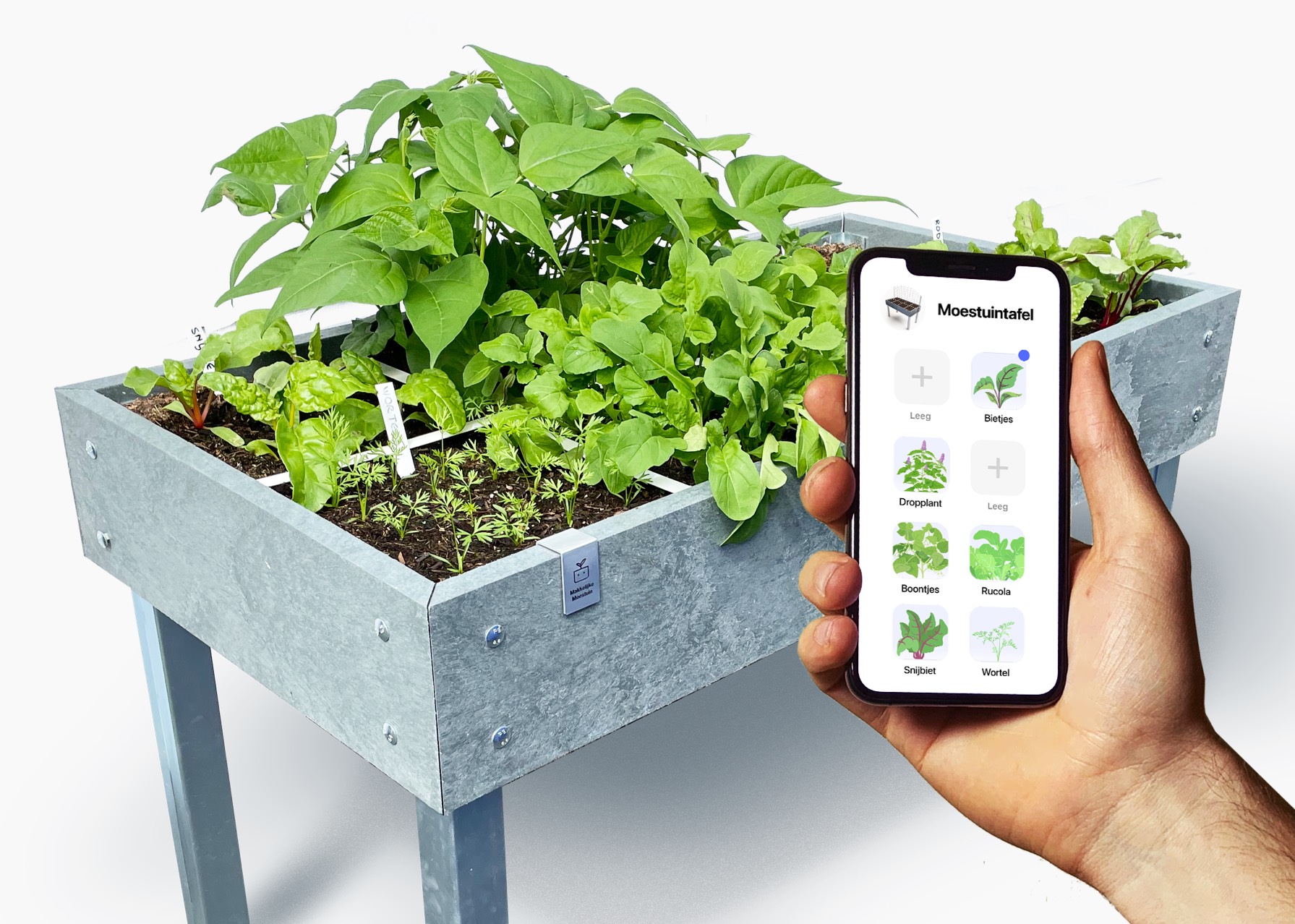
Truus is lovely. Sometimes she emails or messages me, with photos of her little Makkelijke Moestuin on her balcony and how happy she is with it.
That used to be different. Truus was the kind of fan who had one or two questions about everything I wrote. Or three.
"Can you put beets next to radishes, or should I put lettuce between them?" "My courgette is 18 cm long now, can I harvest it?" "There is only one radish on my plants, shouldn't there be more?"
I understand that: when I started, I wondered about everything too. Luckily I had my mother. Because before you are good at something, you have to learn it first.
These days, Truus doesn't ask me anything anymore. At least, not about plants. She doesn't need to, because, as she wrote yesterday: "I am so happy with that Makkelijke Moestuin app."
That used to be different. Truus was the kind of fan who had one or two questions about everything I wrote. Or three.
"Can you put beets next to radishes, or should I put lettuce between them?" "My courgette is 18 cm long now, can I harvest it?" "There is only one radish on my plants, shouldn't there be more?"
I understand that: when I started, I wondered about everything too. Luckily I had my mother. Because before you are good at something, you have to learn it first.
These days, Truus doesn't ask me anything anymore. At least, not about plants. She doesn't need to, because, as she wrote yesterday: "I am so happy with that Makkelijke Moestuin app."
A vegetable garden app? Don't you learn by doing, not from a screen?
That's right. Vegetable gardening is something you just have to do. A Makkelijke Moestuin is easy: you put down a raised bed, fill it with nutrient-rich growing mix, and start sowing. Simple, right?
But then doubt can creep in:
"Oh no, how deep should I sow now?" "Which vegetable goes where?" "How long will it take before I see something come up?"
That's where the MM app is super handy. It takes you by the hand from the very beginning. Everything you do in the app, you also do in real life: in your raised bed.
The app shows you what to do: from the first seed you put in the soil all the way to harvest. Along the way, you get messages for the next steps. For example, when your radish seedlings come up, or when you need to tie up your snow peas.
But then doubt can creep in:
"Oh no, how deep should I sow now?" "Which vegetable goes where?" "How long will it take before I see something come up?"
That's where the MM app is super handy. It takes you by the hand from the very beginning. Everything you do in the app, you also do in real life: in your raised bed.
The app shows you what to do: from the first seed you put in the soil all the way to harvest. Along the way, you get messages for the next steps. For example, when your radish seedlings come up, or when you need to tie up your snow peas.
Cool. But doesn't that also depend on the weather? Or does the app know that too?
Yes, it tracks the weather. But not just that. The app follows exactly how each of your plants grows.

For example, the information about our radish says you can harvest it after 4 to 6 weeks. In good growing weather that will be 4 weeks, but in cold, rainy weather - or early spring - it will be closer to 6.
That's why the app works with average timings. Radishes come up 3 to 11 days after sowing. After 4 days, the app sends you a message. Then you check your raised bed to see if you already spot something:
That's why the app works with average timings. Radishes come up 3 to 11 days after sowing. After 4 days, the app sends you a message. Then you check your raised bed to see if you already spot something:
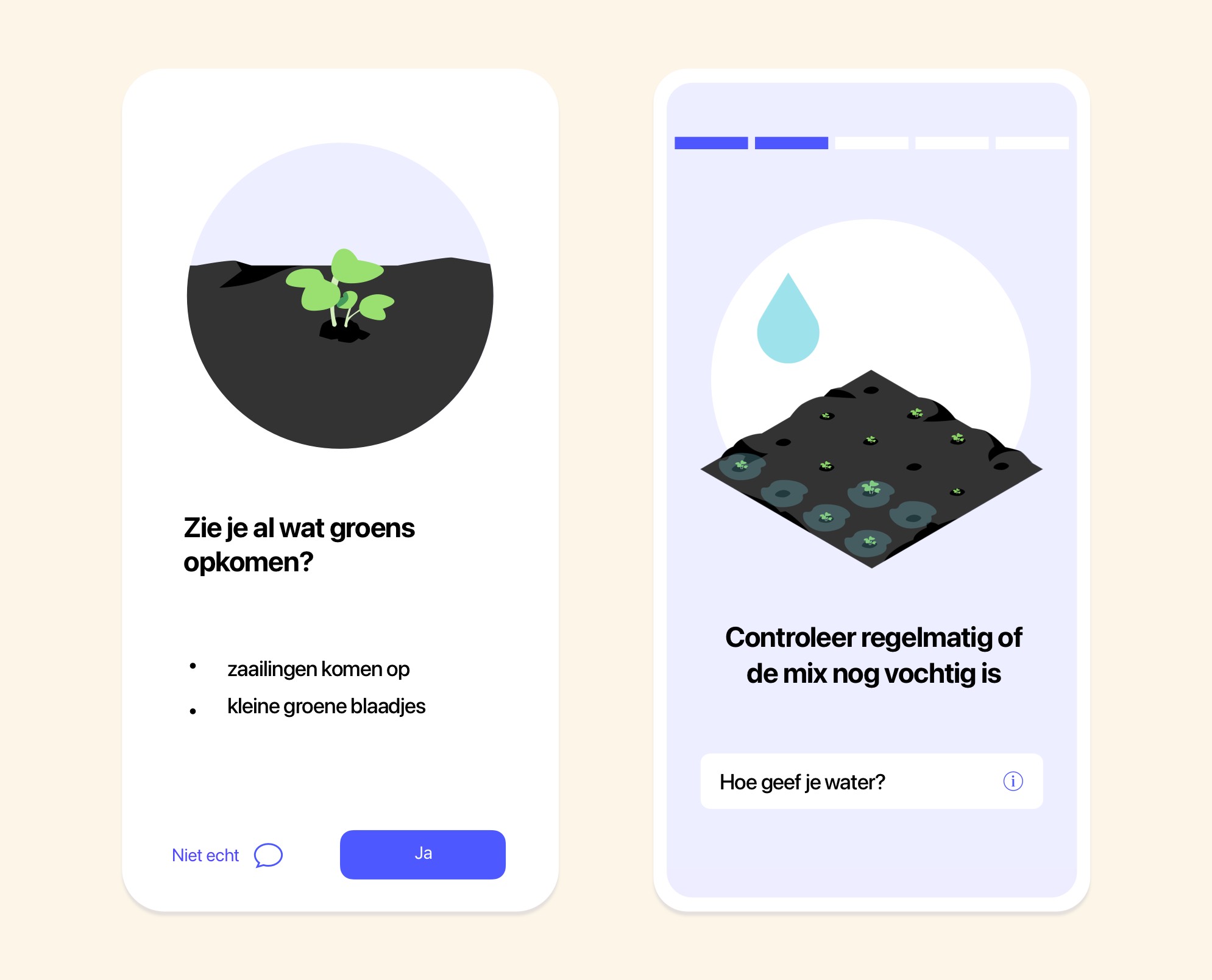
If so, you tap 'Yes' and go to the next level.
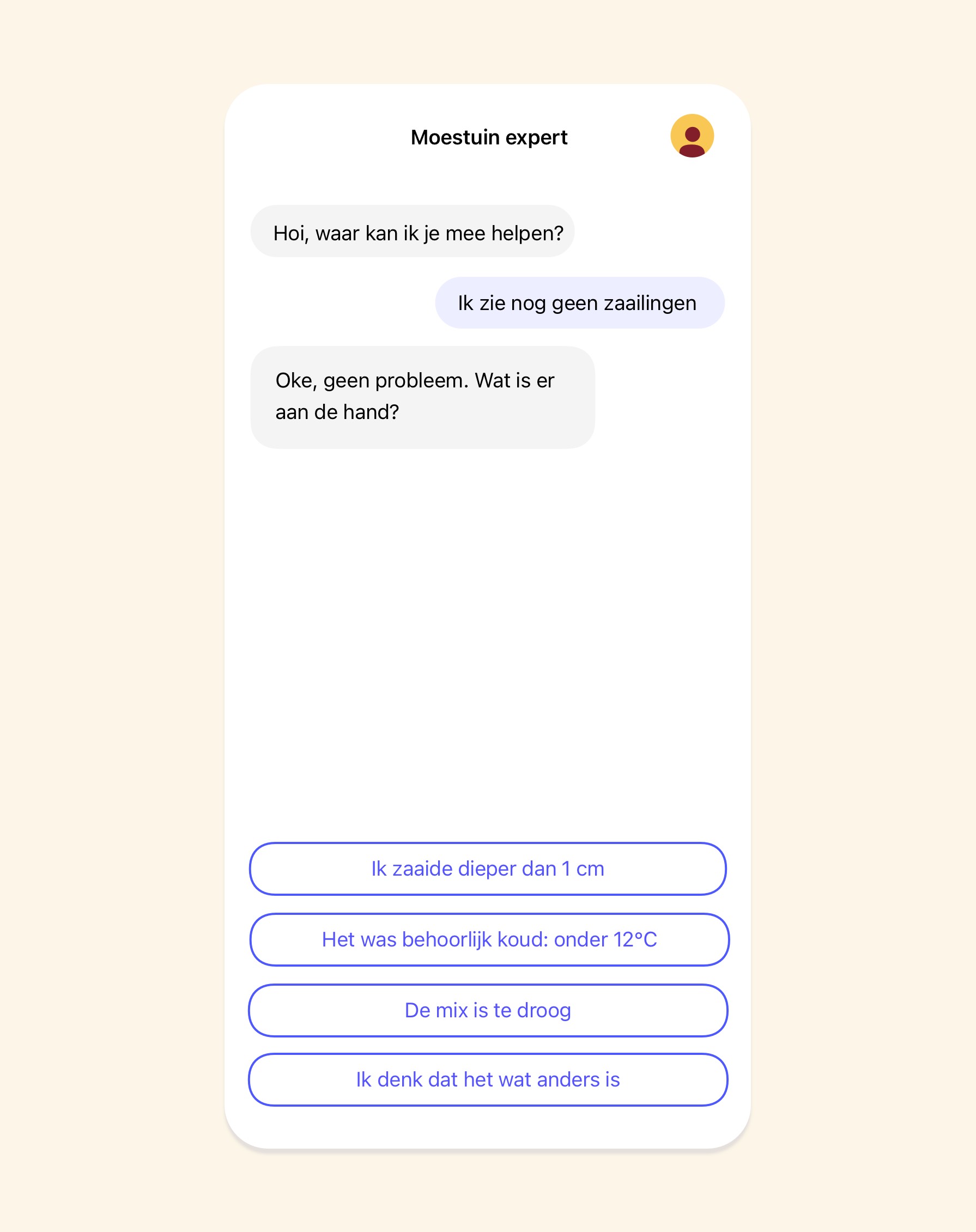
If you don't see anything yet, tap 'not really' and get advice from the vegetable gardening expert:
If you don't see anything yet, tap 'not really' and get advice from the vegetable gardening expert:
Handy. So, how does that work with tomatoes? They grow differently, right?
Exactly. That's why the app doesn't give you general instructions that could apply to any plant, but specific steps for that species.
For the Makkelijke Moestuin, we chose the most fun, tasty, and easy crops: varieties that do really well in our raised beds.
All those seeds are also in the app. From carrots to climbing courgettes, and from endive to Asian salad mix.
The steps are different for every species.
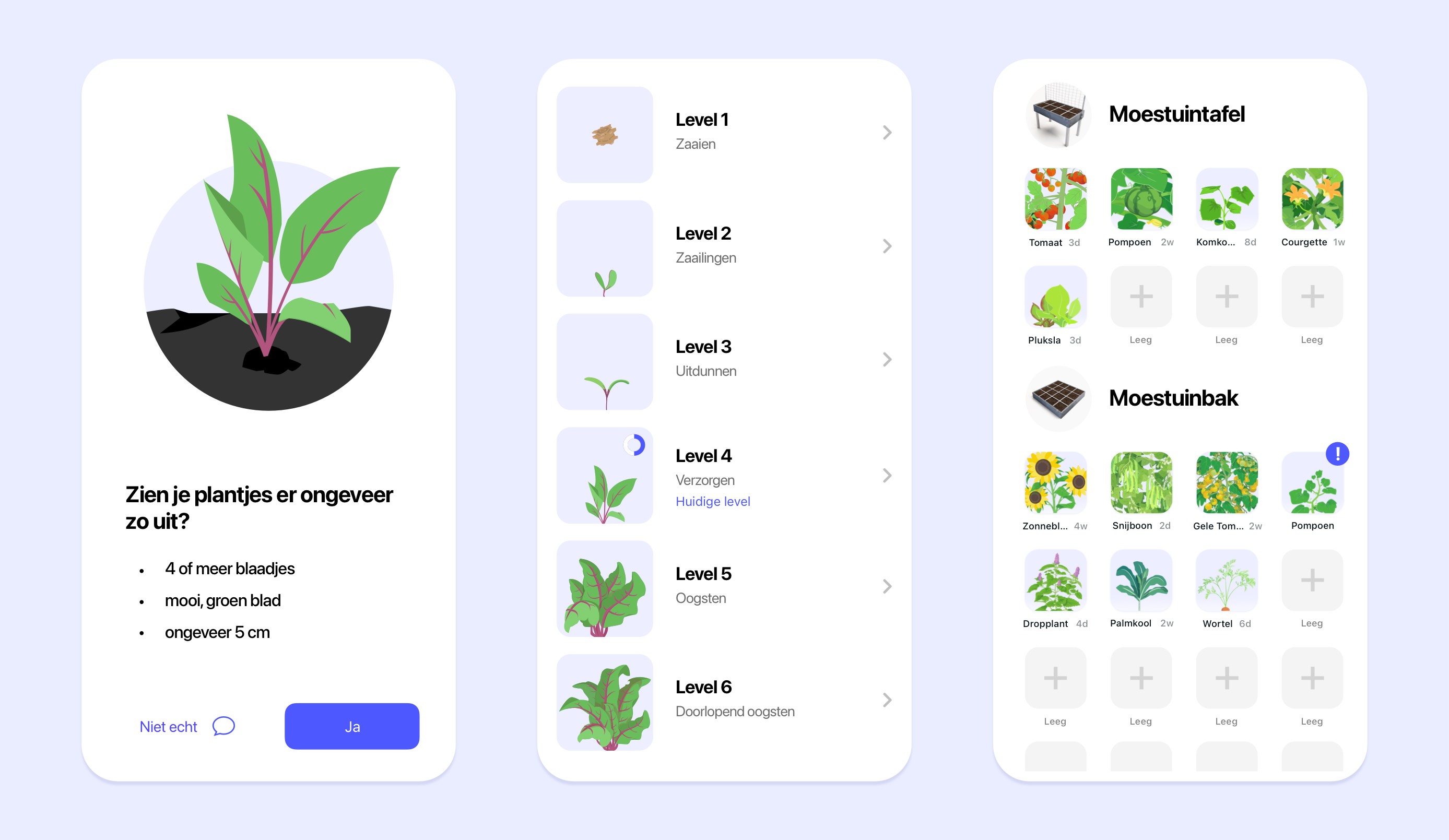
For radishes there are 5: sowing, coming up, thinning out, caring for them, and harvesting:
For the Makkelijke Moestuin, we chose the most fun, tasty, and easy crops: varieties that do really well in our raised beds.
All those seeds are also in the app. From carrots to climbing courgettes, and from endive to Asian salad mix.
The steps are different for every species.
For radishes there are 5: sowing, coming up, thinning out, caring for them, and harvesting:

Our tall cherry tomato has three times as many steps. That's because you don't sow it straight into your raised bed: you first start the seeds indoors.
The app shows that step by step too: how to sow, raise the seedlings, let them get used to the outdoors, and plant them out in your raised bed:
The app shows that step by step too: how to sow, raise the seedlings, let them get used to the outdoors, and plant them out in your raised bed:
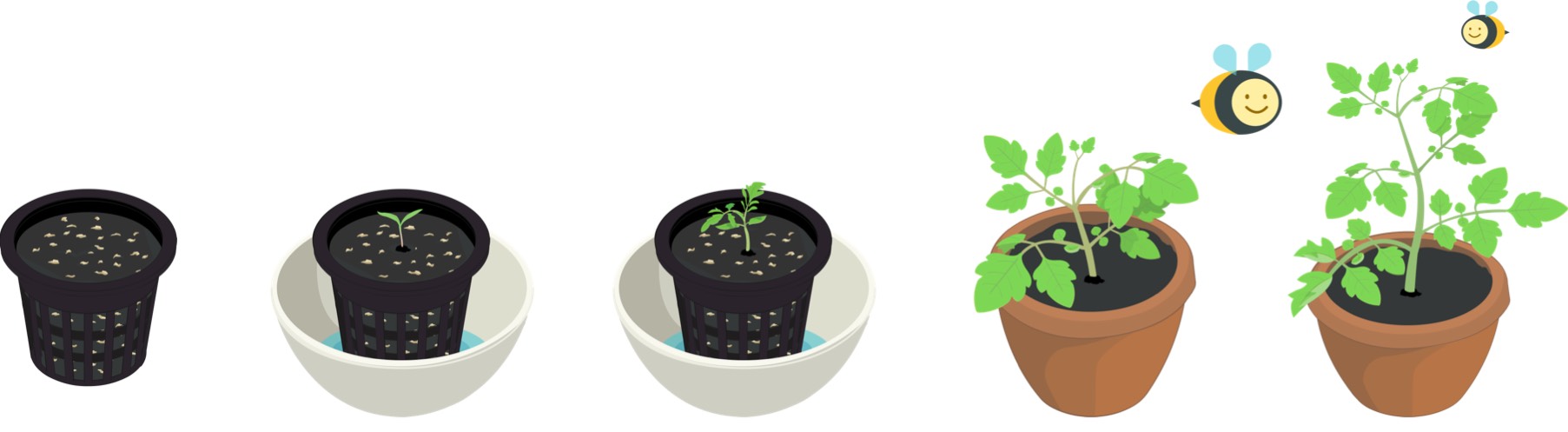
Once the tomato plant is in your raised bed, you need to tie it to the trellis.
Of course, radishes don't need that. You harvest radishes differently too.
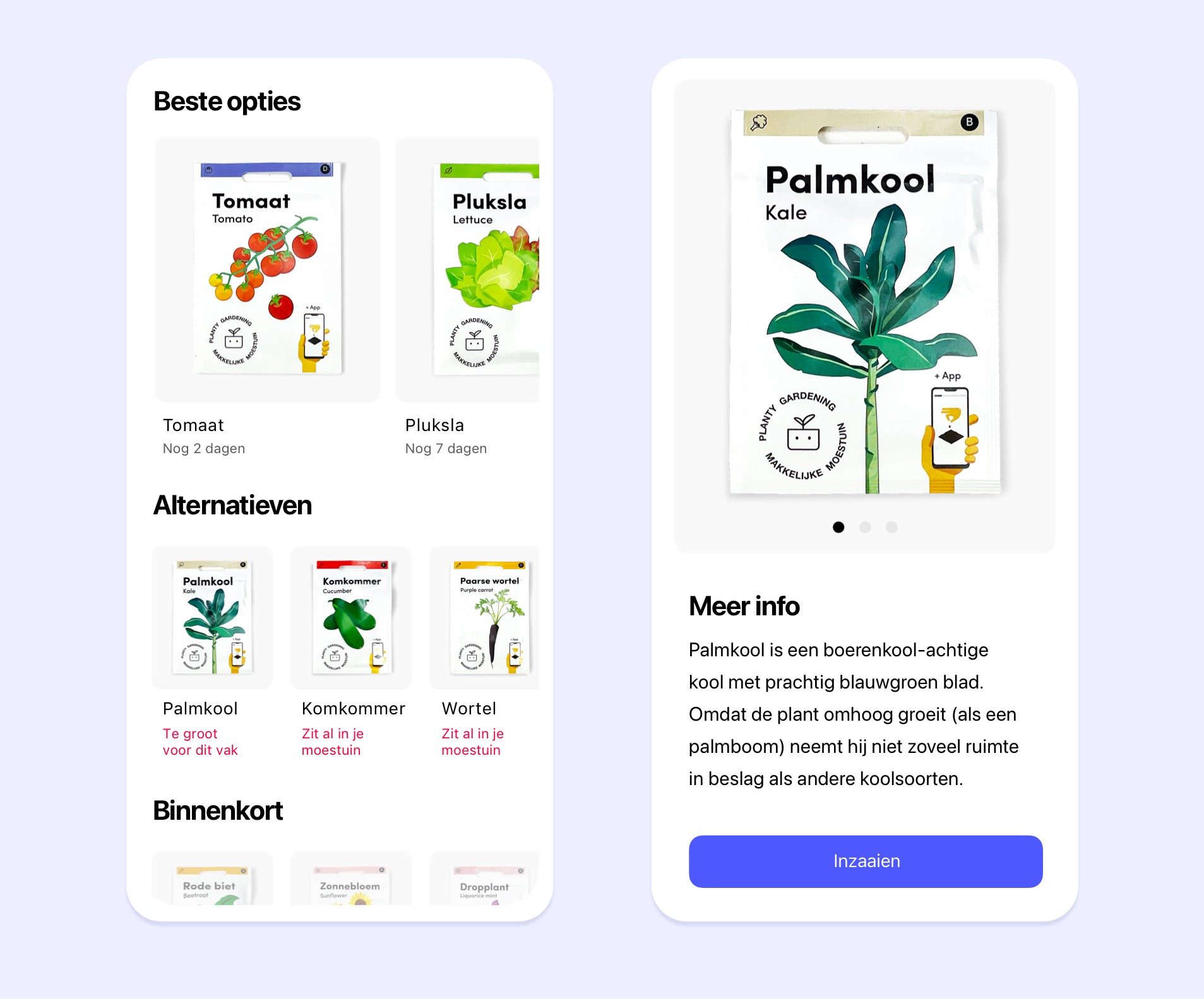
So the app includes every stage for all our vegetables, herbs, and flowers. All the varieties we sell ourselves:
Of course, radishes don't need that. You harvest radishes differently too.
So the app includes every stage for all our vegetables, herbs, and flowers. All the varieties we sell ourselves:
Are there any species in the app that aren't from Makkelijke Moestuin?
No, only ours. That makes sense, because only for those do we know exactly how they grow. We don't know that for other varieties.
There are countless variations of almost every vegetable. There are low-growing bush tomatoes, for example, but also tomatoes that grow huge and can reach 2 meters tall.
With some tomatoes you need to remove the side shoots, and with others you don't. Or something in between. One tomato is not the other.
There are countless variations of almost every vegetable. There are low-growing bush tomatoes, for example, but also tomatoes that grow huge and can reach 2 meters tall.
With some tomatoes you need to remove the side shoots, and with others you don't. Or something in between. One tomato is not the other.
Do you have to keep using the app forever?
No, you don't. We made the app to teach you vegetable gardening in a playful way. It goes surprisingly fast, because with every message you learn something new.
Before you know it, you think: "Ah, is it that easy? I can do that myself." From that moment on, you don't need the app anymore to garden well.
Though there is a good chance you'll keep using it anyway. To plan your raised beds, or because you like getting a little reminder when you need to water.
Before you know it, you think: "Ah, is it that easy? I can do that myself." From that moment on, you don't need the app anymore to garden well.
Though there is a good chance you'll keep using it anyway. To plan your raised beds, or because you like getting a little reminder when you need to water.
There is also something else fun in it:
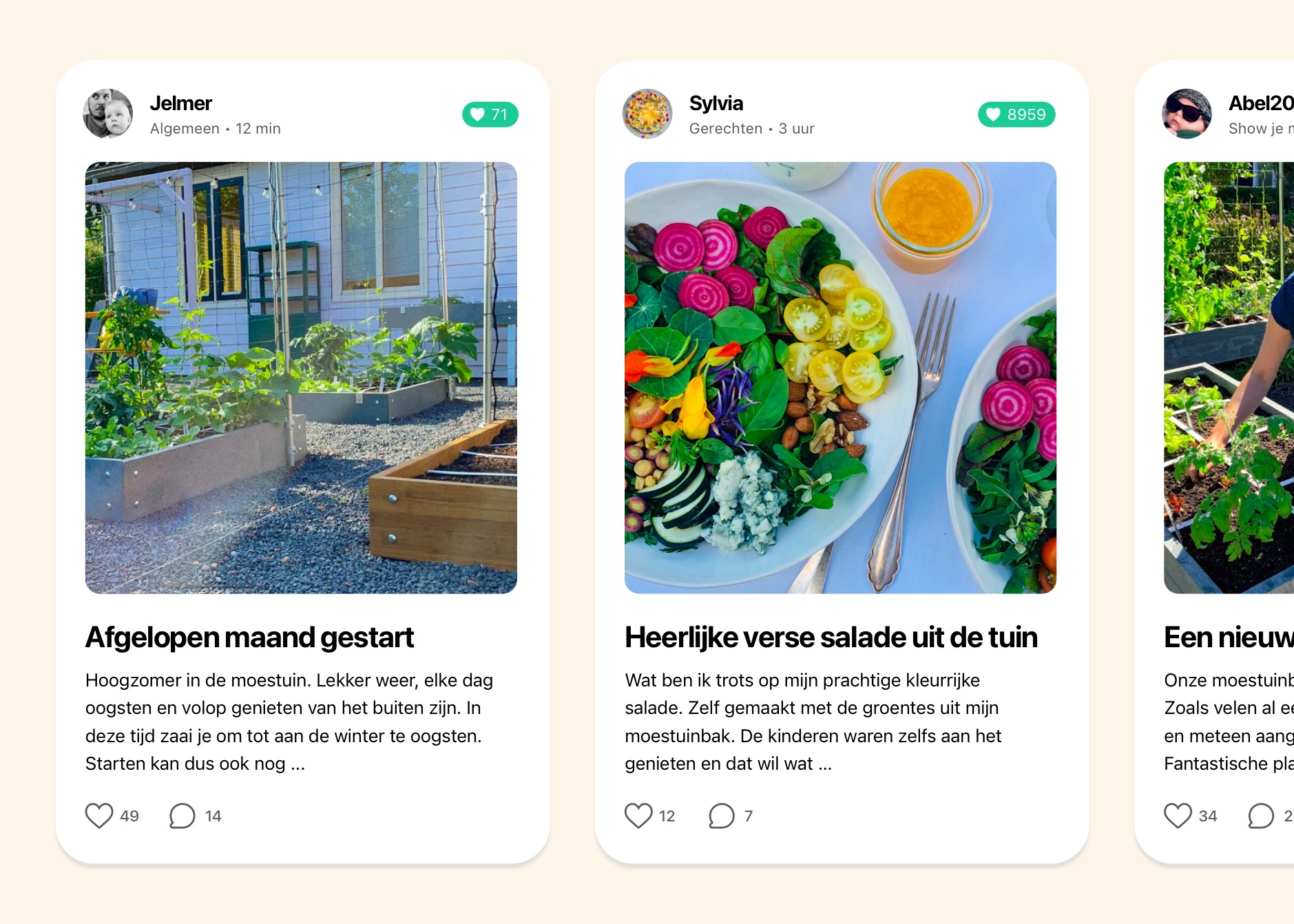
The Makkelijke Moestuin community
That's the place where MM gardeners meet each other.
You can proudly show your Makkelijke Moestuin, share a delicious recipe, and ask the question you've been walking around with for weeks. Or give advice yourself, that works too.
Truus is there too, of course, though she uses a different name there.
You can proudly show your Makkelijke Moestuin, share a delicious recipe, and ask the question you've been walking around with for weeks. Or give advice yourself, that works too.
Truus is there too, of course, though she uses a different name there.
What does this app cost?
Nothing at all. There are no ads and no annoying sales pitches either.
But note: the app is made especially for the Makkelijke Moestuin system, products, and Makkelijke Moestuin seeds. If you use other materials and seeds, we can't say whether it will give you the right instructions.
And besides: if you buy your supplies from us, we can keep making fun things like this.
But note: the app is made especially for the Makkelijke Moestuin system, products, and Makkelijke Moestuin seeds. If you use other materials and seeds, we can't say whether it will give you the right instructions.
And besides: if you buy your supplies from us, we can keep making fun things like this.
So, how do you get your own gardening coach who has endless time and patience?
There are currently two versions. They work the same way, but were built for two different operating systems:
The iOS version for iPhone and iPad
Download here
And the Android version
Download here
The iOS version for iPhone and iPad
Download here
And the Android version
Download here
Have fun and let me know if you're as happy with it as Truus is, okay?