How do you become a Makkelijke Moestuin stockist?
Would you like to become a Makkelijke Moestuin stockist? Great!
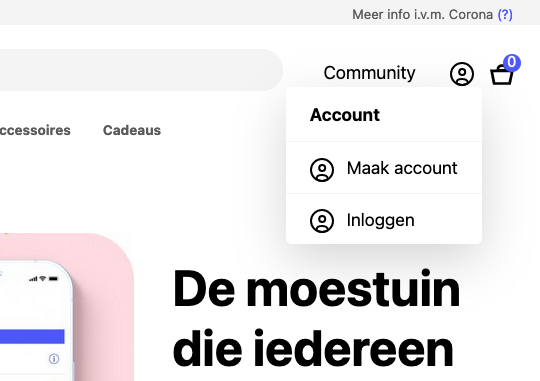
Go to your account using the profile icon at the top right.
Say that you’d like to become a reseller.
Wait for our approval email.
Buy stock through the reseller shop.
Add your location to the map.
Need some help? The steps below take you through the whole process.
Request reseller status
Step 1: Log in
Select the profile icon at the top right of the screen and log in to your Makkelijke Moestuin account.
Don’t have an account yet? Create one first.
Don’t have an account yet? Create one first.
Step 2: Open My account and request reseller status
On the next screen, briefly explain why you’d like to become a stockist and what you plan to do. It doesn’t need to be detailed; we just want a general idea of your plans.
Then select the blue Request button.
Then select the blue Request button.
Step 3: Wait for our confirmation email
Robbin will review your details and send you confirmation once your account has been approved for reseller status.
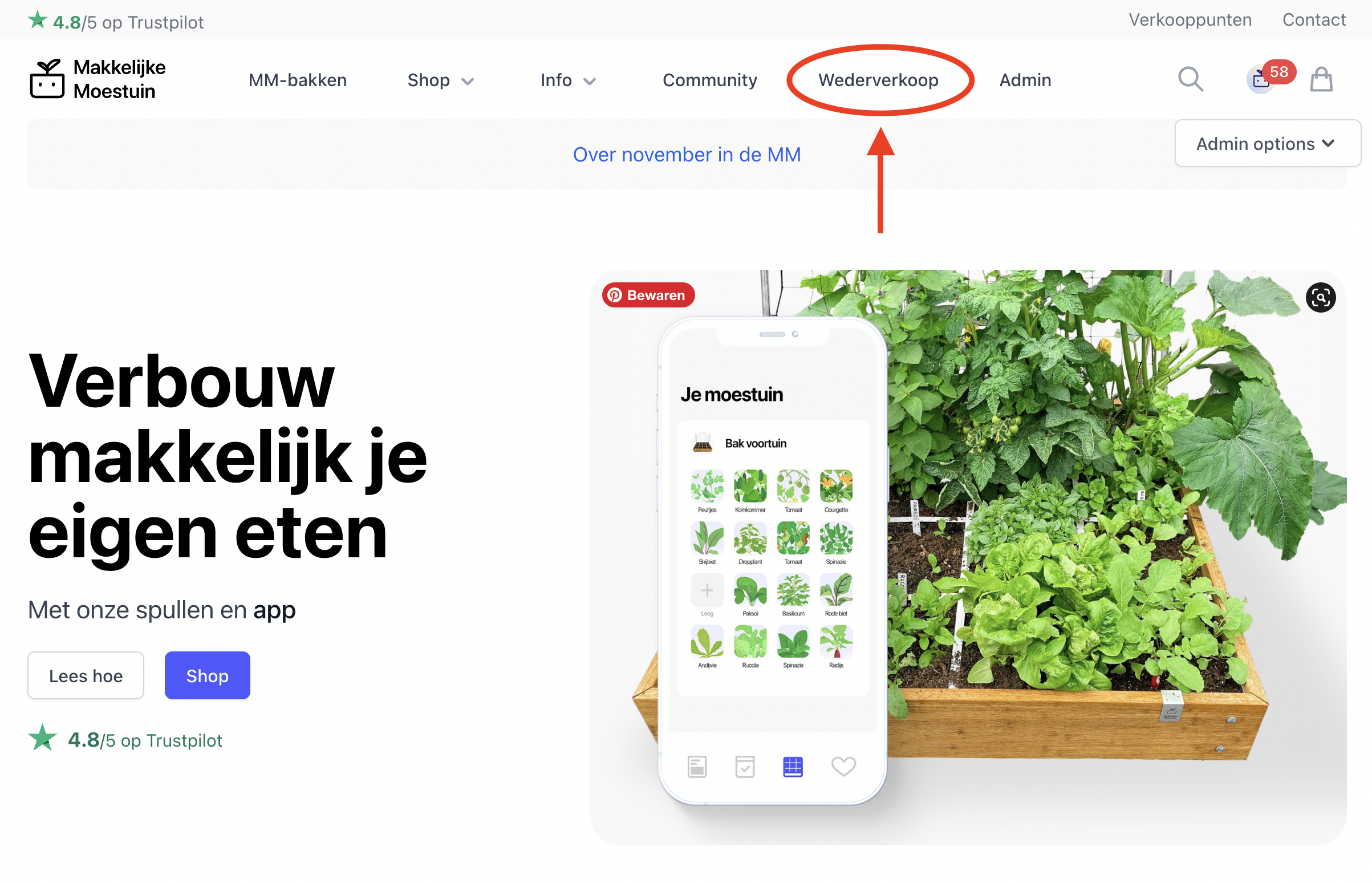
After you receive the email, you’ll also see a Reseller link in the bar at the top of the site.
After you receive the email, you’ll also see a Reseller link in the bar at the top of the site.
Step 4: Buy stock through the reseller shop
Select the Reseller link to open the shop we created for our stockists. You can buy our products there at reseller prices. Minimum order quantities apply to most products.
Would you like to order by invoice? Email us and we’ll enable that option for you.
Would you like to order by invoice? Email us and we’ll enable that option for you.
Step 5: Add your location to the map
This final step is important: add your stockist details to the map.
The instructions below explain exactly how to add your location and complete its information.
The instructions below explain exactly how to add your location and complete its information.
Add your location to the map
Step 1: Open My account
You’ll see an overview of your account details.
Find the Reseller section and select Edit:
Find the Reseller section and select Edit:
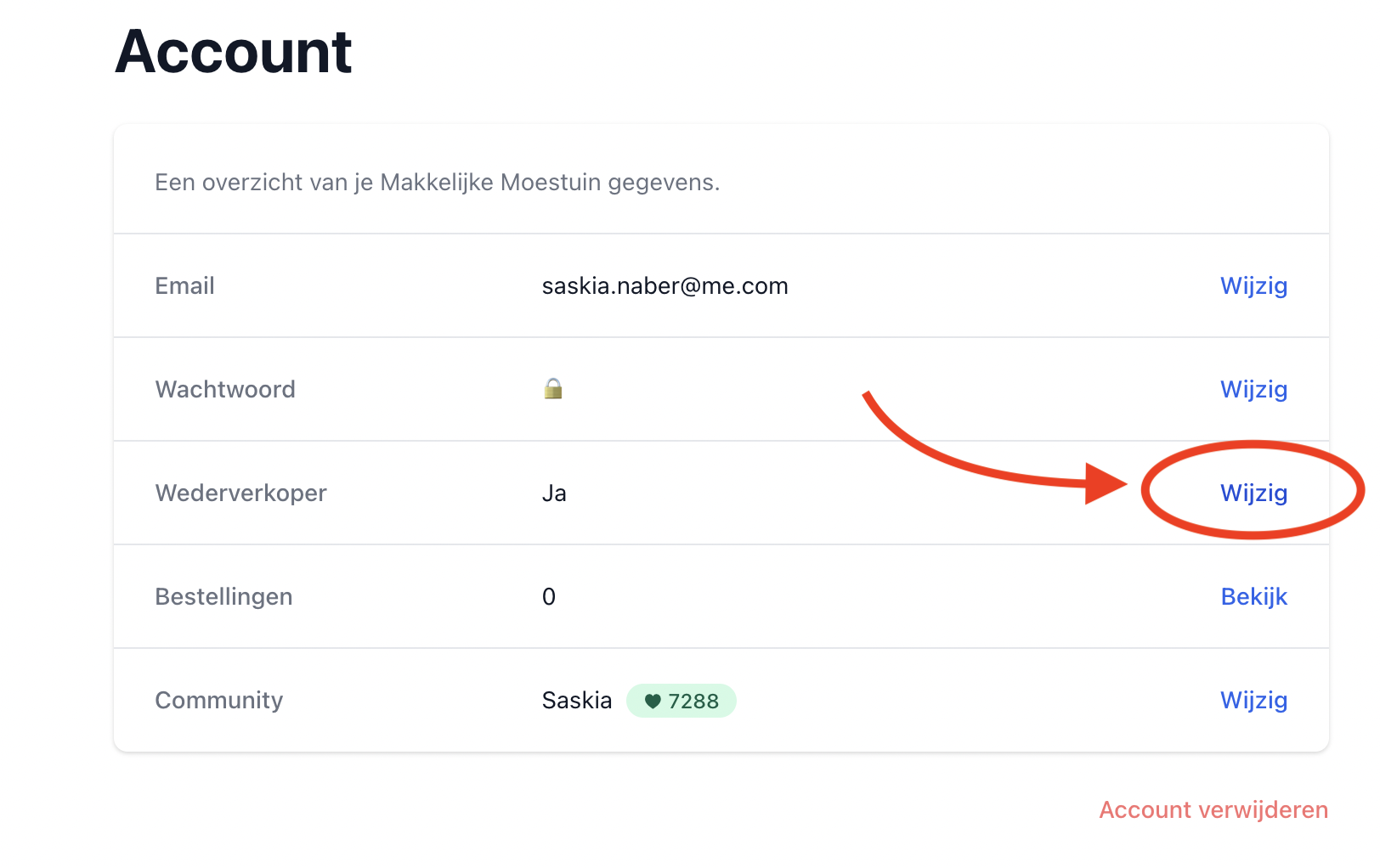
This opens the reseller screen:
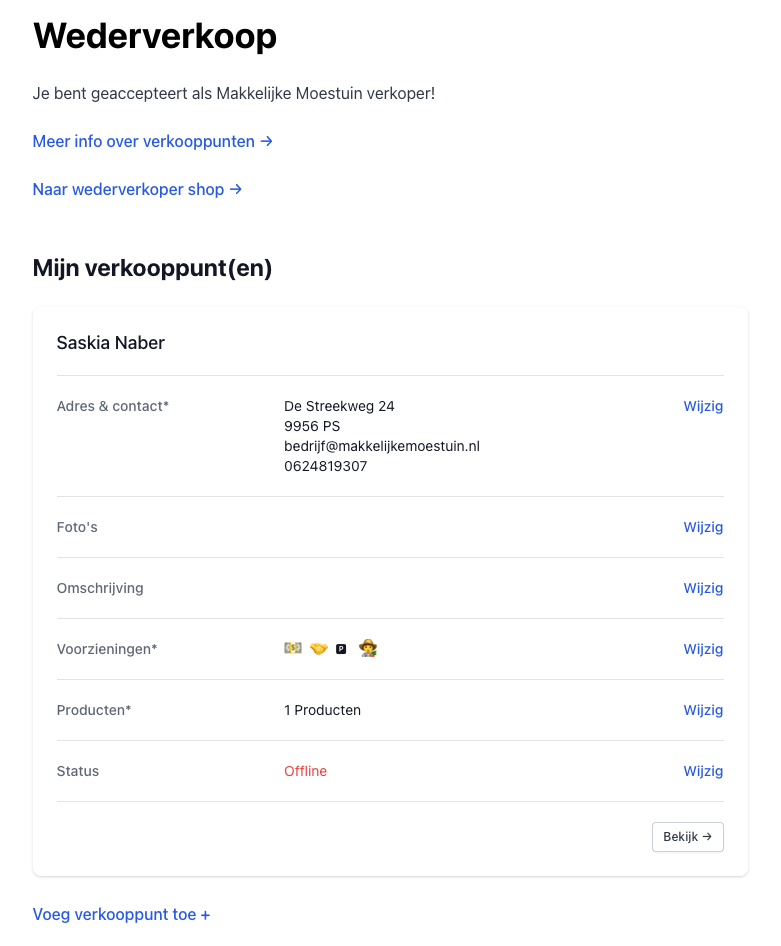
Step 2: Complete your location details
- Add your address and telephone number.
- Upload your photos.
- Describe your stockist location. You can keep it short or add more detail.
- Select the services you offer, such as opening hours, payment options, delivery, parking and whether customers can see a display Makkelijke Moestuin.
- Select the products you sell.
Once you’ve entered everything, check that your location appears in the correct place on the map.
At the bottom of the screen, you’ll find a link to add another stockist location if you have one.
At the bottom of the screen, you’ll find a link to add another stockist location if you have one.
Step 3: Put your location online
When you’re ready to welcome customers, select Edit in the Status section.
Change your status from Offline to Online.
Your location will then appear on the map and customers can contact you to collect products.
You can use the same setting to take your location offline, for example while you’re on holiday, taking a break, out of stock or stopping altogether.
Change your status from Offline to Online.
Your location will then appear on the map and customers can contact you to collect products.
You can use the same setting to take your location offline, for example while you’re on holiday, taking a break, out of stock or stopping altogether.
Step 4: Keep your page up to date
Update your details whenever something changes, for example when a product sells out or when you add more products to your range.
Accurate information on the map matters to us and, most importantly, to your customers. They rely on it when planning a visit.
Accurate information on the map matters to us and, most importantly, to your customers. They rely on it when planning a visit.
Enjoy it, and good luck!